Kanban.md
A Kanban board that lives in plain Markdown
Two Markdown files become an interactive board. The whole app is one HTML file that reads and writes your folder directly: no server, no account, no database. You use the browser, your AI agents use the command line, and both edit the same files.
*In Firefox and Safari you can open a folder read-only, view any board from the web, or edit the real folder by running kanbanmd serve in it. Your files stay on your machine.
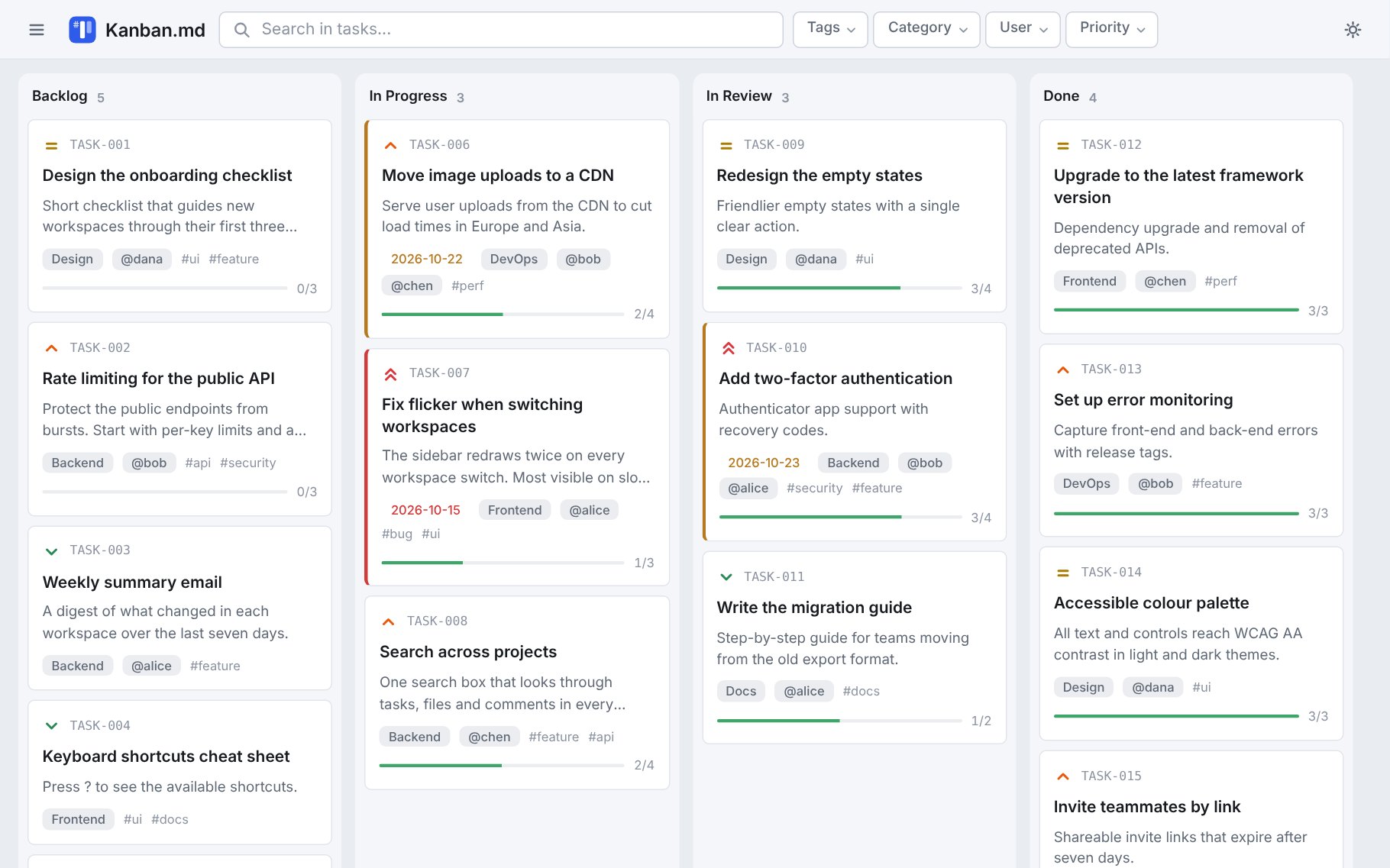
The demo board from docs/examples. We also run this project on our own board.
What you get
Everything is a file you can read, edit, diff and commit.
You and your agent, together
A CLI and an MCP server let agents change the board while you use the browser. Cards move within seconds on both sides, and concurrent edits are merged, not overwritten.
A roadmap your agent can afford
Agents read just the part they need. "What is in this column?" on a 100-task board costs about 1,000 tokens instead of 20,000.
Your tasks, as files
Plain Markdown that works in any editor and reads well in any Markdown viewer, including GitHub.
Fits in git
Edits are small line-level patches: moving a card changes one line, so diffs and reviews stay readable.
A real board
Columns you define, drag and drop, subtasks, priorities, tags, assignees, due dates, filters, an archive, several projects, light and dark themes, four languages.
You own everything
Nothing leaves your machine: no account, no telemetry, no CDN, works offline. This page loads nothing from anywhere else either.
Where it fits
✓Where it shines
- Developers who want tasks next to their code, in the same repository and the same pull requests.
- Small teams who share a board through git.
- Anyone working with AI coding assistants who wants a clear, traceable record of what was asked and done.
- People who like owning their data and being able to open it in a text editor.
–What it is not for
- Not a hosted service. No accounts, permissions, notifications or live co-editing. Teams share a board through git or a synced folder.
- Not a server or an API. Agents use the CLI and the MCP server; there is no HTTP API.
- Editing in place needs a Chromium browser. Opening and editing your own folder directly needs Chrome, Edge, Opera or Brave on desktop. In Firefox and Safari you can open a folder read-only, open any board from a web address, or edit the real folder by running
kanbanmd servein it (needs Node). - Not a reporting tool. There are no charts or time tracking yet.
Try it
Nothing to install and nothing uploaded. The app reads and writes the folder you pick, on your machine.
- Open the app in Chrome, Edge, Opera or Brave.
- Pick a folder. If it is empty, the app creates
kanban.mdandarchive.mdfor you. - Want to look around first? Open the demo board read-only, in any browser. To try editing it, download the
docs/examples/orbit-product-boardfolder and pick that.
Prefer a local copy? Download kanbanmd.html and open it in your browser. More options are in Getting started. Your browser may ask again for folder permission each session.
Use it with AI agents
The same operations are available from the shell as the kanbanmd CLI and through an MCP server.
# in your project: MCP config, skill and agent instructions
npx -y @ashikahmad/kanbanmd init

# or just register the MCP server, e.g. with Claude Code
claude mcp add kanban -- npx -y @ashikahmad/kanbanmd mcp
kanbanmd guide prints the rules an agent follows, and the server sends them too, so there is nothing to copy per assistant. See Working with AI agents for the workflow and the tools.